Groovetime
Practice Mode for Dance Challenges
Building a rehearsal space and finding out dancers wanted a repair shop
Contributions
Product Design, Interaction Design, User Research
Stakeholders
Kwasi Ohene-Adu
Founder
Kirk Agbenyegah
Software Engineer
April Joy
Community Manager
Timeline
2 weeks
Overview
A dancer misses the same eight-count four times in a row. Every time, they start the whole song over, because the app gives them no other control. Groovetime is built on dance challenges, and we had copied TikTok's rehearsal flow, including the gap where rehearsal should have been.
My Role
I led Practice Mode end to end: mapping the flow, prototyping the looping and section controls, running the tests, and sitting with engineering through the build. I owned the instrumentation plan too, which is why the finding below has numbers under it.
The short version
- 01Problem
One bad eight-count meant restarting the whole song.
- 02Built
Looping, preset speeds and section controls, inside the feed.
- 03Found
Just over half who skipped it came back after failing.
- 04Meant
We built preparation. Dancers used it as repair.
We designed Practice Mode for the moment before you perform. Just over half the dancers who skipped it came back after failing, and that group finished at a higher rate than the one we built for.
Problem
Issues
The restart trap
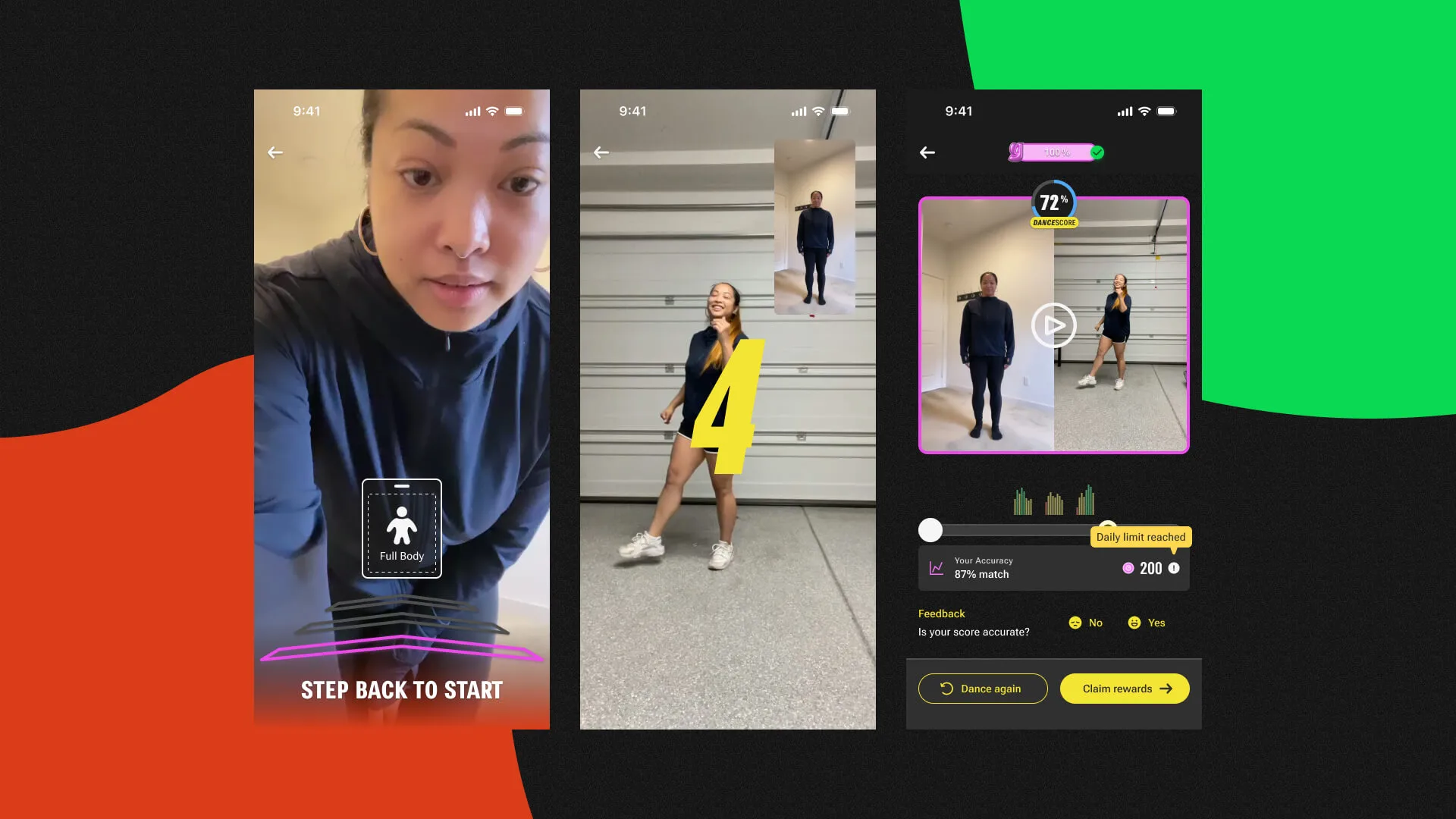
We copied TikTok’s flow without examining what it left out. Dancers got no loop, no slow-down, and no way to isolate a section, so fixing one bad eight-count meant running the whole song again. Most of their rehearsal time went on the parts they already had down.
A challenge only counts when someone submits to it. Dancers who gave up during rehearsal never got that far, so we lost submissions, and with them the community activity submissions drive.
the eight-count that won’t land
- restart 1
- restart 2
- restart 3
- restart 4
What dancers had insteadthe two existing options, and the flows they came from
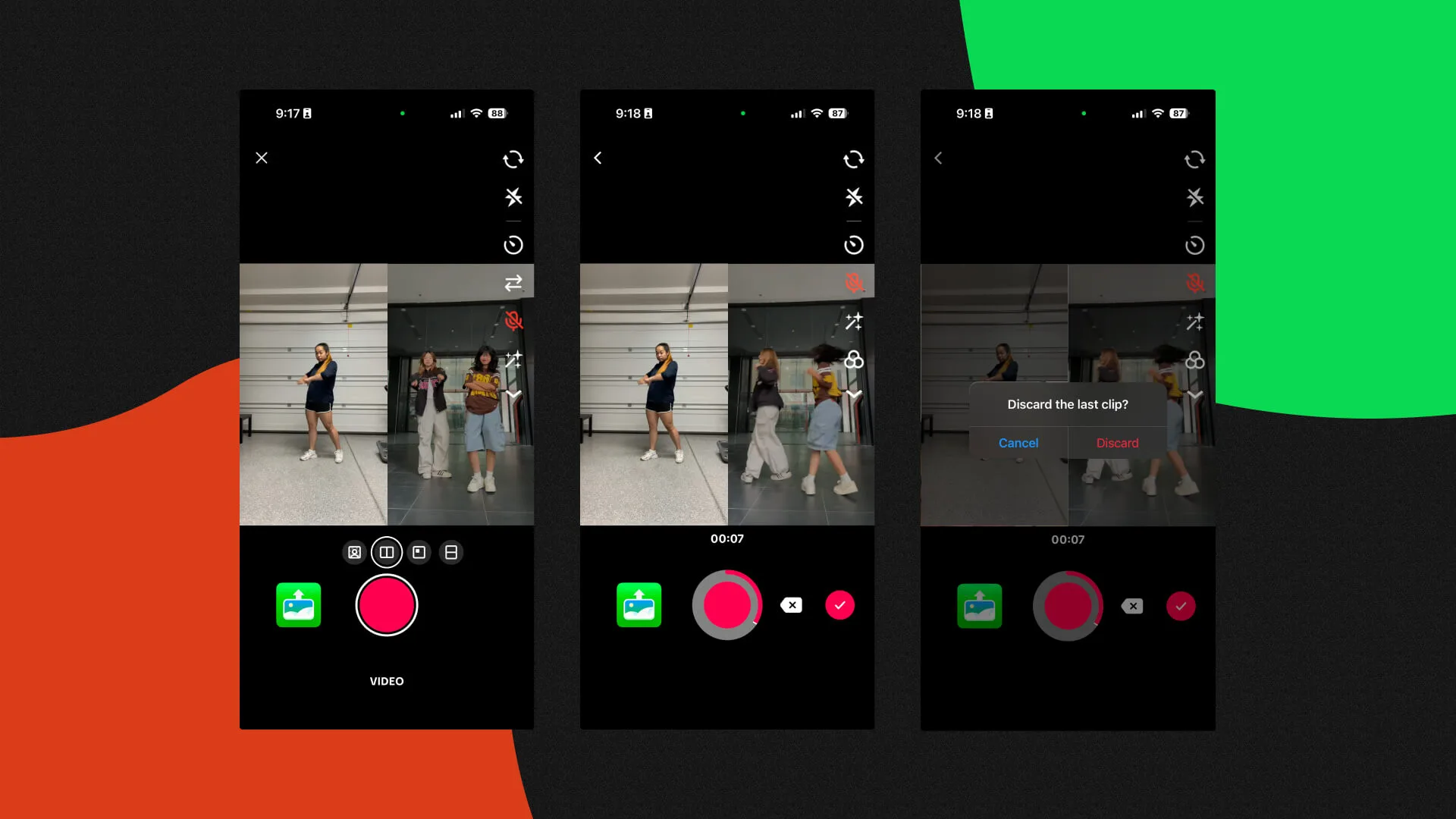
- Groovetime’s own flow
- A copy of TikTok’s, with no rehearsal tools in it at all.
- Brute force
- Replay the full routine to reach one bad measure, and hope it lands this time.
The Bet
Practice comes first
Everything we scoped rests on an assumption we never wrote down: rehearsal happens before performance. You practice, then you record. Nobody questioned it, and it decided where we put the entry point. You’ll watch it come apart in the results.
How we scoped ituser goals, business goals, and what we agreed to measure
User Goals
- Rehearse before recording
- Adjust speed and loop a section
- Build confidence before performing
Business Goals
- Increase challenge participation
- Lower rehearsal friction
- Encourage sustained engagement
Success Metrics
- Uptake of Practice vs Dance
- Transitions in both directions
- Participation and re-engagement
What the research saidthree methods, and the two insights that changed the scope
Where we looked
- Mapped Groovetime’s practice flow to find where dancers stalled
- Spoke with dancers about how they rehearse and where they lose confidence
- Benchmarked fitness, dance, and short-form video apps
User Insights
- Dancers restarted whole challenges to fix a single section
- Strong demand for looping and slower playback on the hard parts
- With no practice space, momentum died and challenges got skipped
Market Insights
- Apps that teach a skill lean on looping and adjustable speed
- TikTok had no practice feature, an opening to differentiate
What it changed
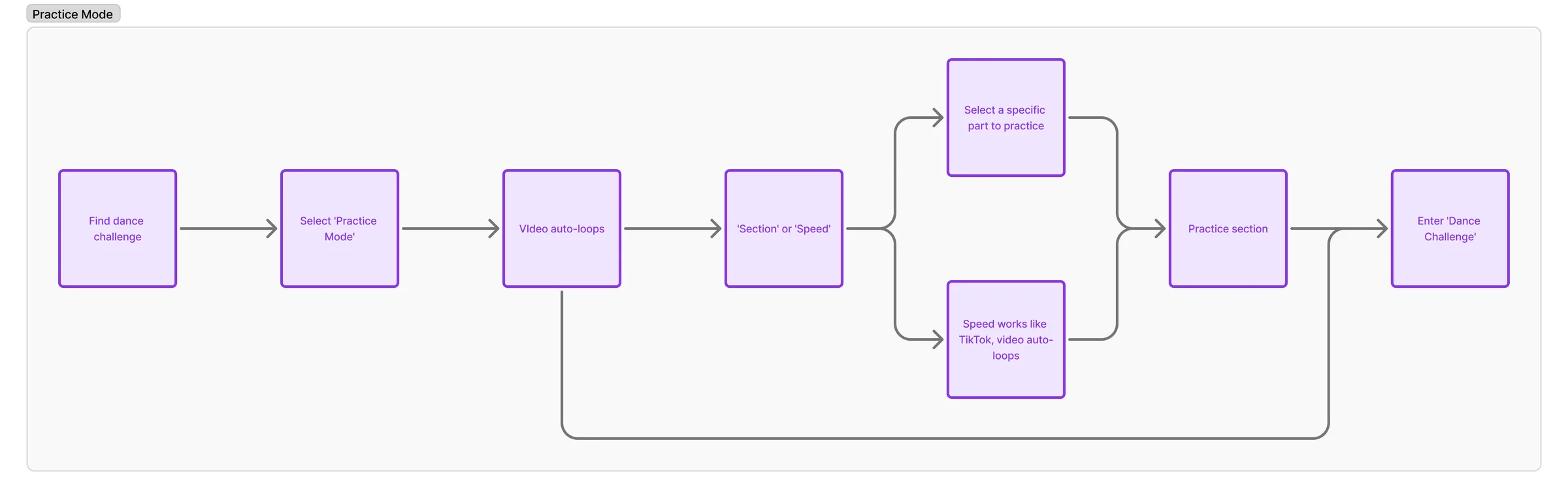
We cut most of the list. Looping and speed became the whole feature. The handoff from practice into performance became a design problem of its own, because dancers kept describing the two as one session.
Design
Design Decisions
Keep it in the feed
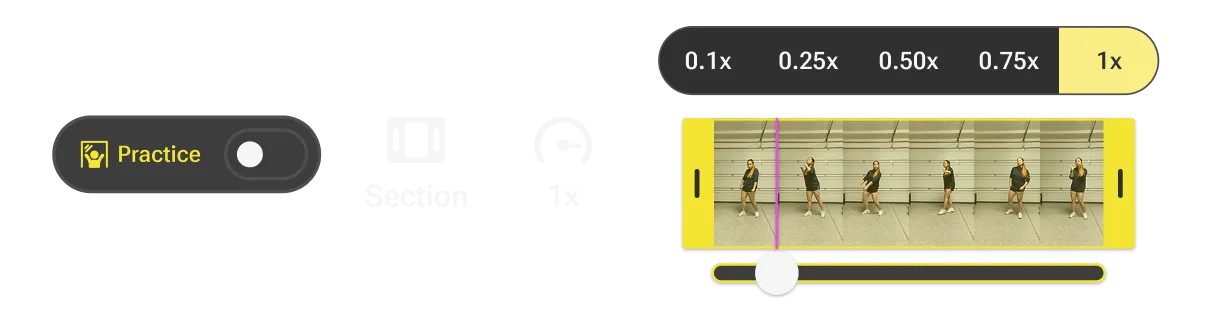
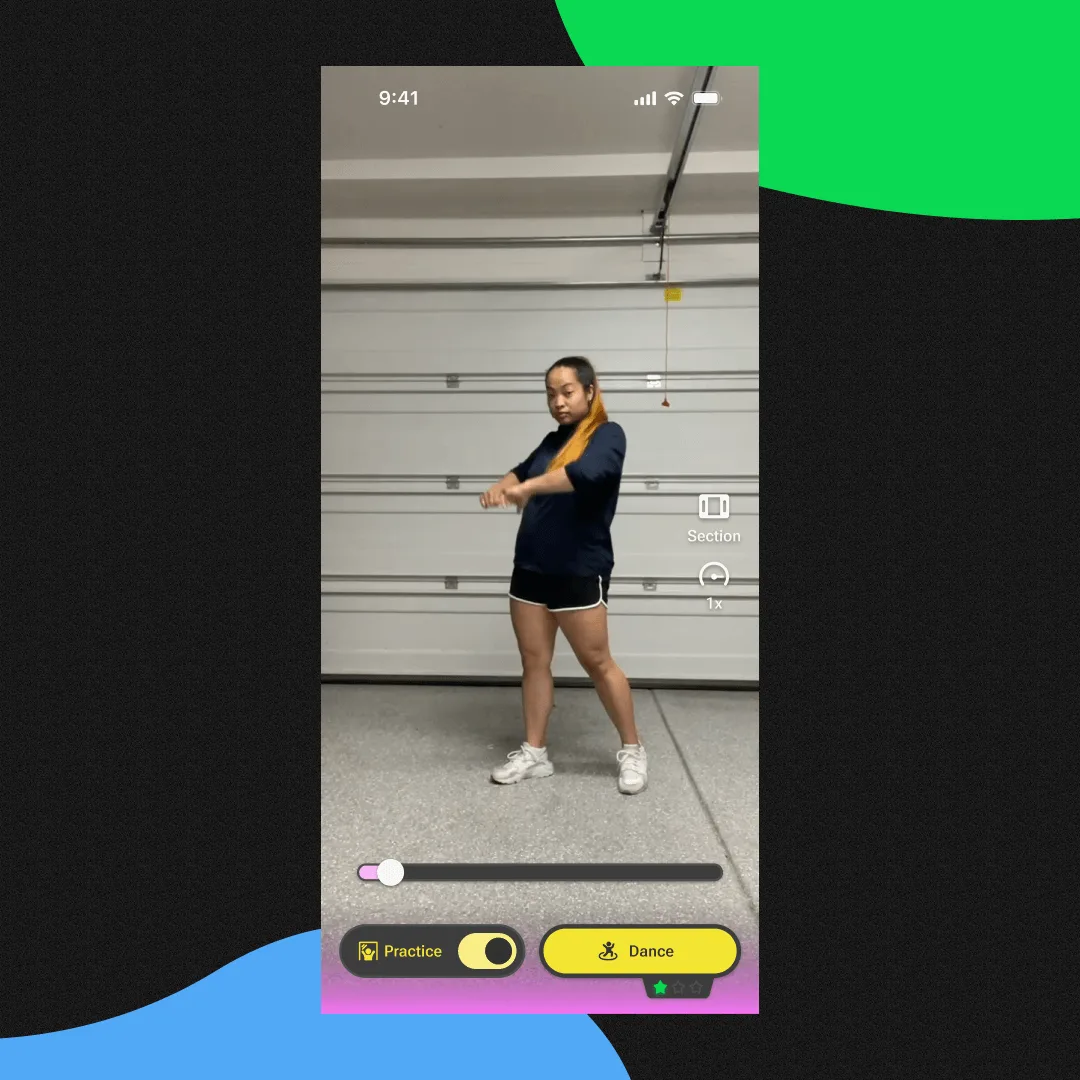
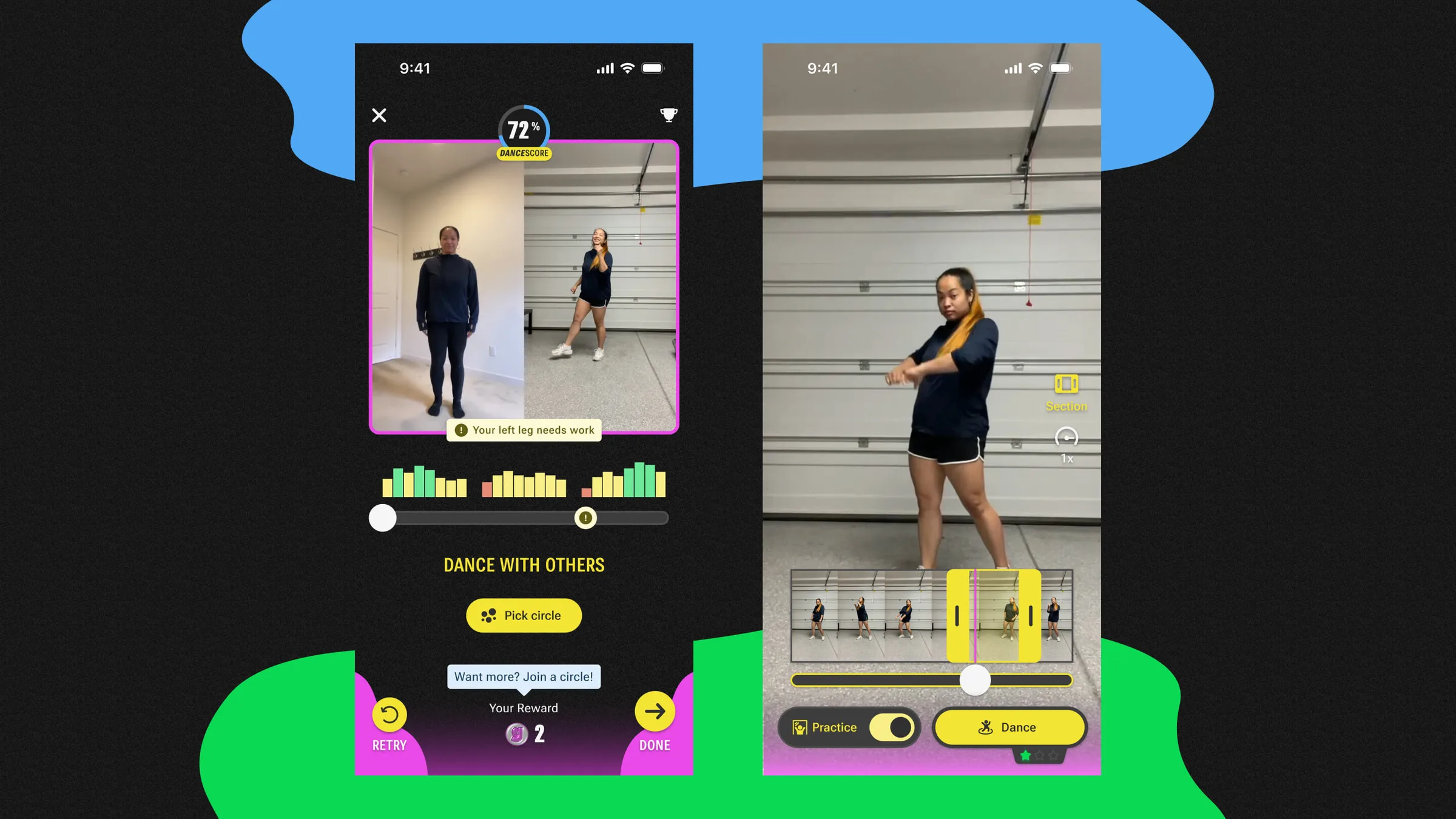
The first job was to stop copying TikTok. We embedded Practice Mode in the feed so dancers could rehearse without leaving or losing a draft, and built looping, preset speeds and section controls around the parts of a routine that cause trouble.
That bought us a problem: something had to come off the home screen to make room. It was the first of several calls where I backed the wrong option.
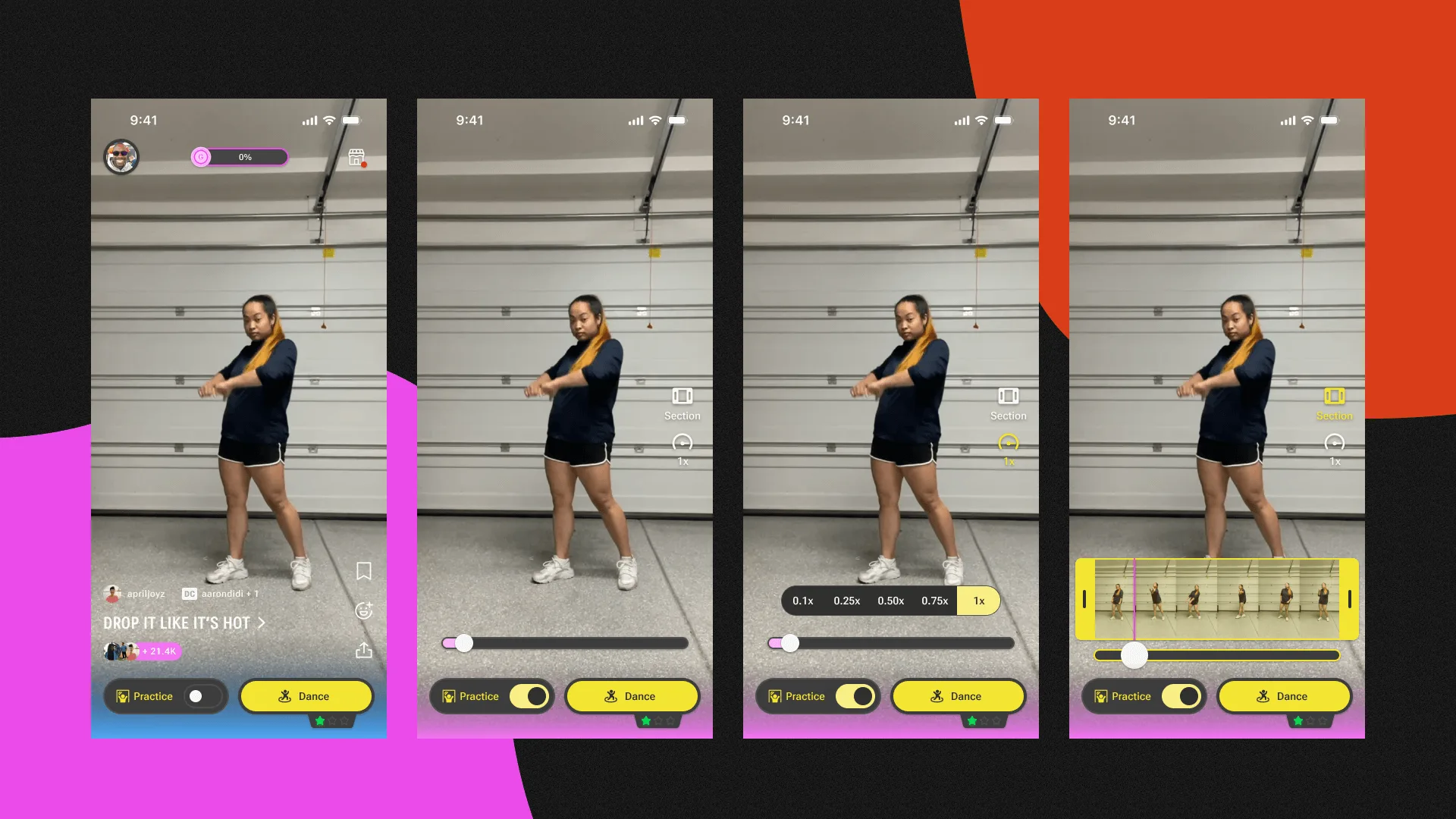
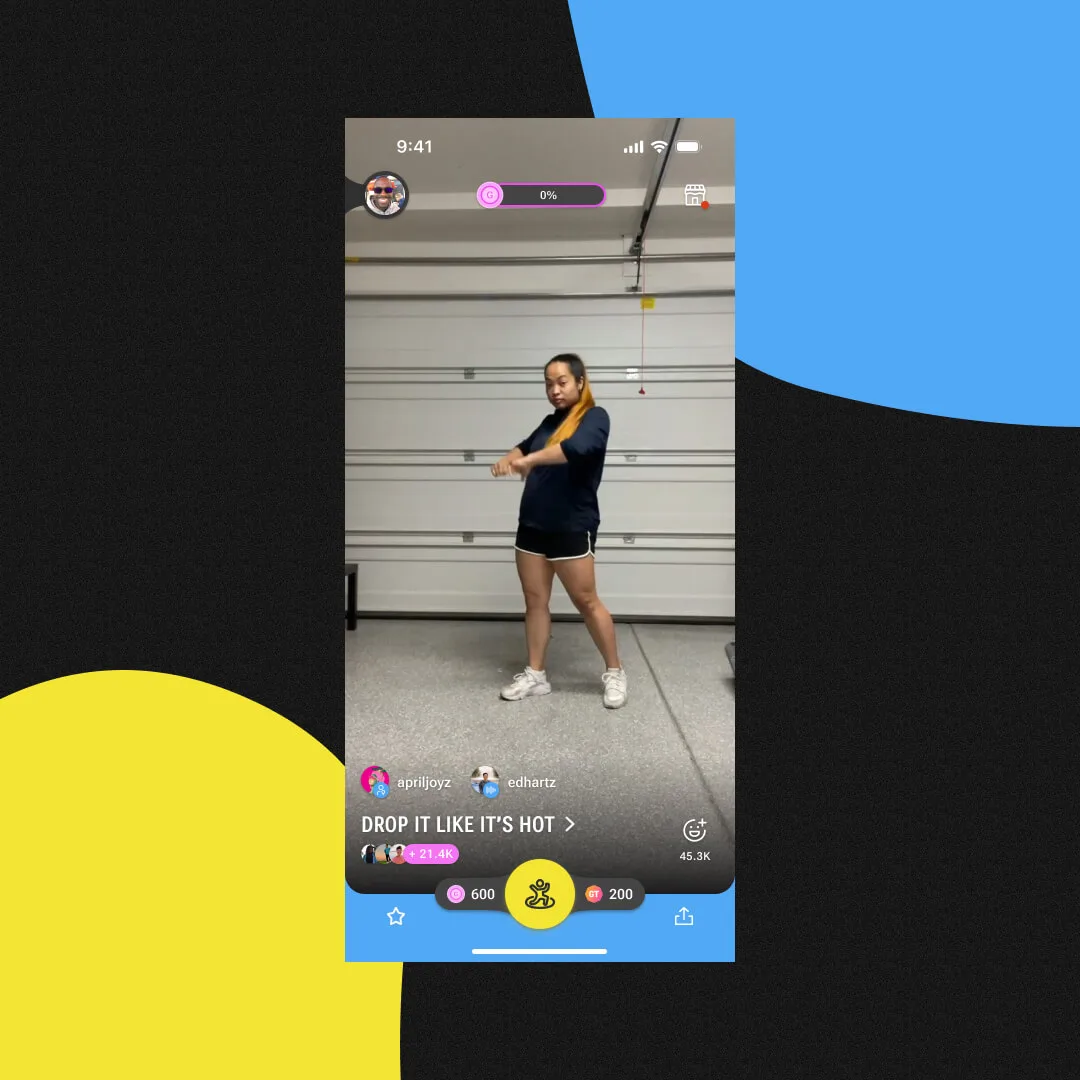
REMOVING THE EARNINGS INDICATOR
Thought
I argued to keep the earnings indicator when we introduced Practice Mode. It paid players to keep going, and cutting an incentive to make room for a new feature felt backwards.
Reality
Dancers did care about it, just not while rehearsing. Reading it mid-routine pulled their attention off the choreography. It stayed in the product and came off that screen.
Testing, and the three calls I got wrongspeed controls, section landmarks, and a play button nobody wanted
Cheap prototypes first
We tested flows and mockups before writing any code, then Figma prototypes so dancers could feel the timing instead of reading a diagram. In-app tests confirmed the core: looping and speed cut frustration.
The shape of the feature held up, but my instincts about its controls kept failing. Three went down in a row, and each loss made the feature simpler than I had drawn it.
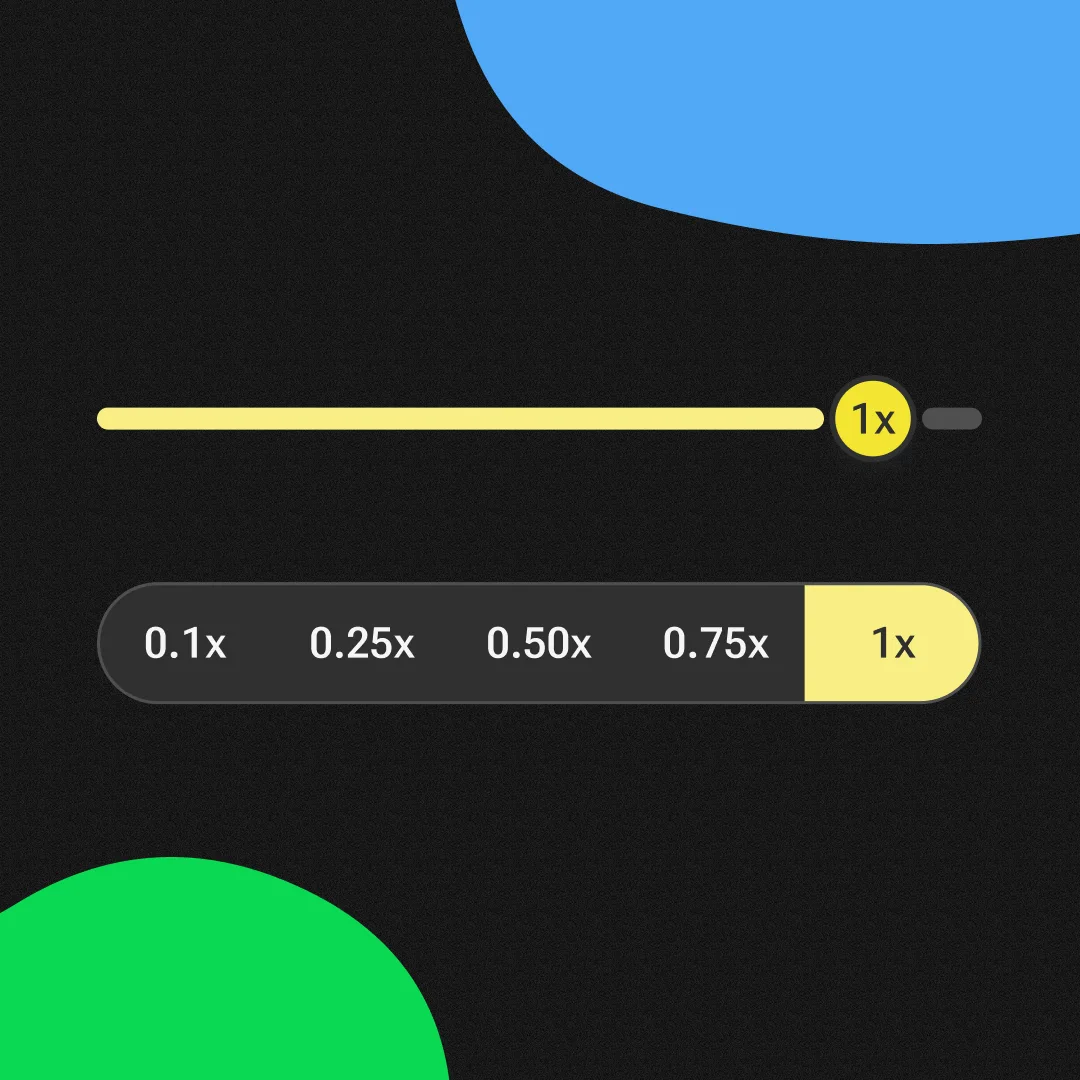
SIMPLIFYING SPEED CONTROLS01
Thought
I designed granular speed controls, assuming dancers would want precise adjustments.
Reality
Dancers found the precision slow to use and hard to read mid-rehearsal. Presets (0.5x, 0.75x, 1x) matched how they already talk about tempo, and the flow stopped stalling.
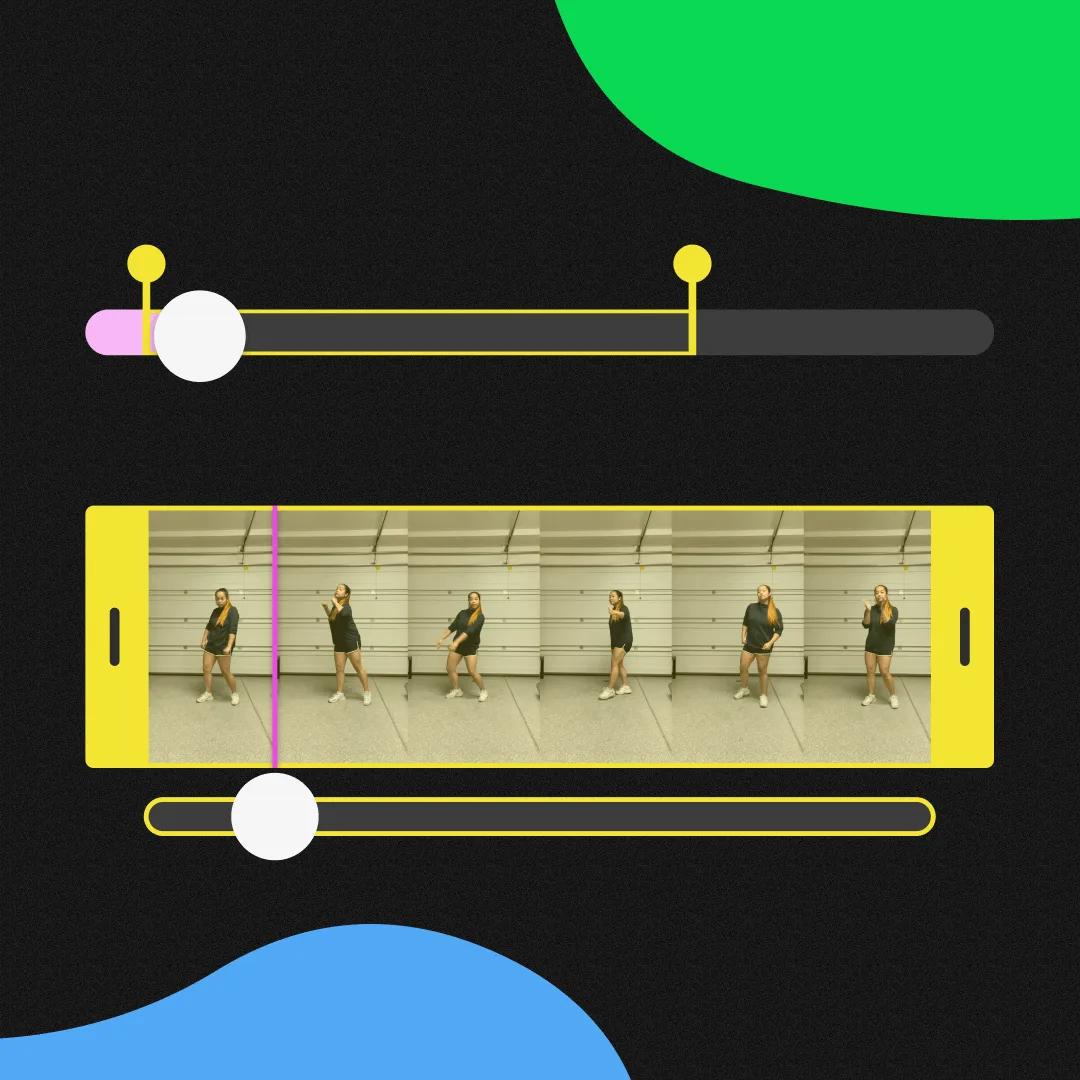
SECTIONING WITHOUT LANDMARKS02
Thought
I built a fast way to section off part of a dance and assumed finding that part would be trivial.
Reality
Dancers hunted for their spot every time, because we had given them no timestamps and nothing to recognize. Auto-generated thumbnails let them find it by sight.
ADVOCATING FOR A PLAY BUTTON03
Thought
I pushed for a dedicated play/pause button. It is a familiar control, and rehearsal seemed like the context that needed one.
Reality
Almost no social video app ships one, because tapping the video became the convention years ago. Dancers already knew that gesture, so the button would have been the only unfamiliar control on screen.
Results
User Impact
The result we expected
Across 42,000 active users the bet paid off. 42% opened the rehearsal space before dancing and 69% of them went on to perform, which is the number we had designed for. The one that changed how I think about the feature came from the other direction.
42%
opened Practice first
Against 46% who went straight to Dance and 12% who did neither.
69%
of them went on to perform
The designed path, working as scoped.
76%
of the returners performed
Dancers who skipped Practice, failed, came back to it, and then went and danced.
The larger group skipped practice and went straight to perform. 53% of them came back.
Interpretation
A repair shop
We had built Practice Mode as preparation, and dancers used it as repair. Nobody knows which eight-count will trip them up until it does, so demand peaked in the middle of a take that had gone wrong. Those dancers finished at 76% against the 69% we designed for, which I read as the difference between arriving with one fixable problem and arriving with a general wish to improve.
We got the feature right and placed it on an untested assumption. Practice sat beside Dance as a sibling choice, which asked dancers to predict their own failure. If I scoped this again the primary entry point would live inside Dance Mode, where a dancer can reach it the moment a routine breaks down.
Lesson Learned
Possible isn't usable
TikTok’s Duet let you practice if you were determined enough, and almost nobody was. Building for rehearsal on purpose gave dancers a habit they had never had. The assumption cost me more than the feature did, and the tracked events are what corrected me.
What the numbers can and can't supportthe measurement gap I shipped with
The funnel supports this much: dancers who touched Practice Mode reached a performance attempt at a high rate from both directions, and the round trip gave Groovetime a re-entry point it had never had.
We also shipped without a clean pre-launch baseline for submissions per active user, so I cannot credit this feature with a lift in overall participation. I instrumented every transition and left the outcome measure alone. I set that baseline first now.
What I'd build nextfollowing the repair behavior into the next version
Follow the repair behavior: surface Practice from inside a failed take, and drop dancers at the section that broke. Then test whether streaks can turn the loop into a habit.
Ready to go back to the main page?
Go back