Filmtools
The Portal That Kept Getting Asked For
Three weeks for sales and web, then four more departments wanted in
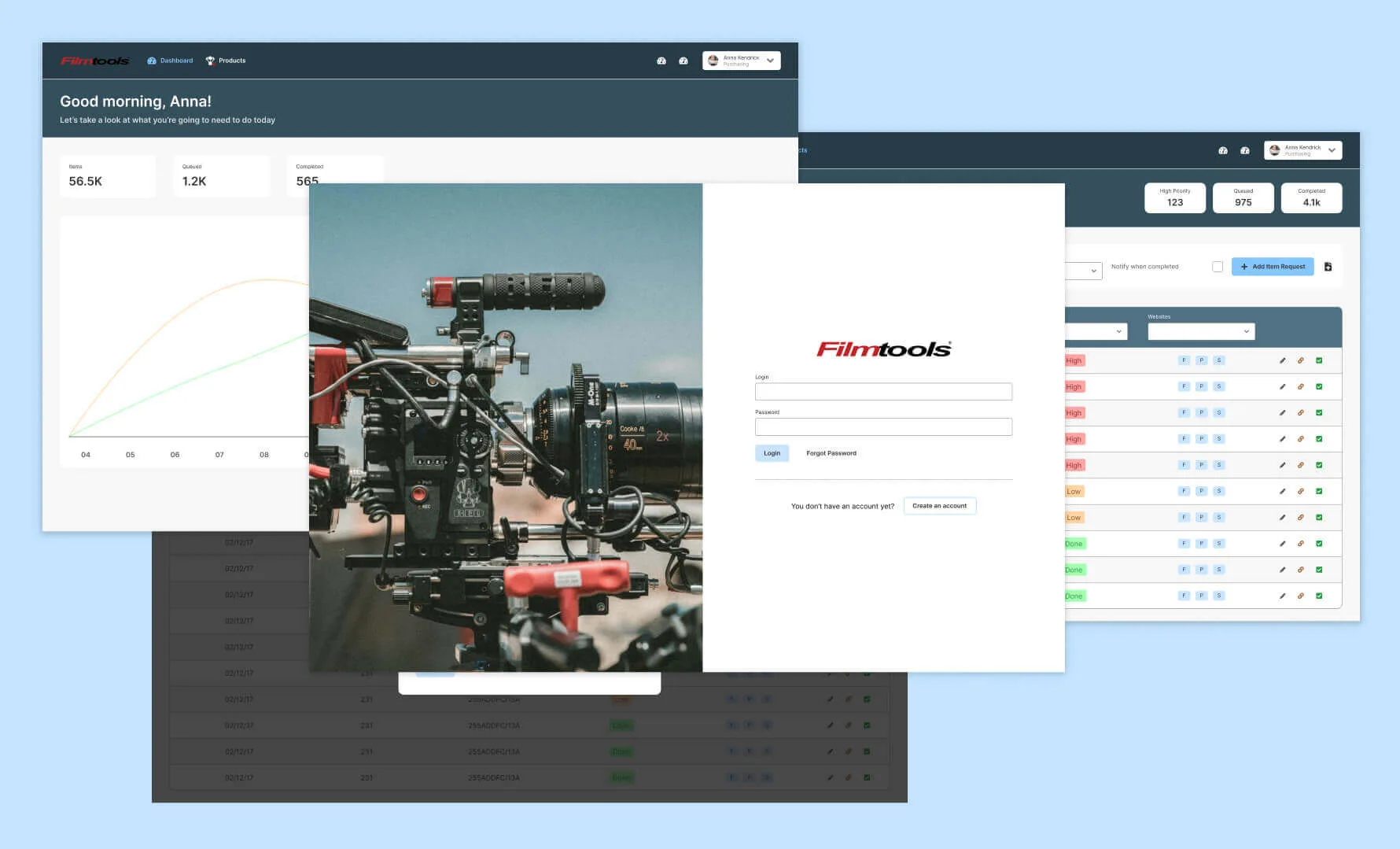
Contributions
User Research, Visual Design, Prototyping, User Testing
Stakeholders
Blake Buchanan
Customer Service Representative
Charlotte Theret
Web Content Specialist
Nick Lampke
Operations Manager
Anna Rodriguez
Purchasing Agent
Timeline
3 weeks for the portal, 2 for the sync, ongoing after that
Overview
Filmtools supplies film and TV production out of Burbank, and the catalog is wide: grip and electrical, camera support, lighting, audio, studio carts, and the on-set expendables a working show gets through in a week. Getting any of it onto the website meant a sales rep emailing or phoning the web team, and at that catalog size, requests went missing. I designed an internal portal that replaced that traffic. It worked, and while it sat in testing the purchasing team came asking whether it could solve a problem of their own, which is how a request form turned into a piece of inventory infrastructure. It kept going from there. By the time I left, the same portal was handling shipping through ShipStation, accounting through QuickBooks, order fraud prevention through Signifyd, and the direct B2B sales flow.
My Role
I was the designer on the web team, embedded close enough to watch requests arrive and go astray. I designed the portal and every integration that followed it, ran the research behind them, prototyped them, and tested with the people who would use them. A developer built what I specified, and I worked alongside him on feasibility as the wireframes went up.
The short version
- 01Built
A request portal for sales and web, styled like the tools they already used.
- 02Shipped
Email and phone traffic for product requests dropped by 90%.
- 03Spread
Purchasing saw it in testing and asked for their problem next.
- 04Automated
Then ShipStation, QuickBooks, Signifyd and B2B sales moved in too.
I designed a form to stop two teams emailing each other. It shipped, sat in front of people for a few weeks, and a third team recognized their own problem in it. That kept happening until the form was the system four departments ran on.
Problem
The Ask
Product requests moved by email and phone call
A sales rep who wanted a product on the site emailed the web team, or called them. That works for a narrow catalog. Filmtools carries grip, electrical, camera support, lighting, audio and a constant churn of expendables, so requests arrived in two inboxes and a phone queue with no shared record, and some of them were never seen again.
Nobody could answer the question both teams kept asking, which was where a given request had got to. Sales chased, web repeated themselves, and the same item got submitted twice. Product updates slowed, which on an e-commerce site is lost revenue rather than lost tidiness.
What we could have used insteadthree options that existed already, and what each one cost
- Google Form and a Sheet
- Up in an afternoon. No bulk upload, and no way to hold anyone accountable for a row.
- Magento or NetSuite modules
- Already familiar to both teams, and rigid. Getting them to fit meant customization we could not maintain.
- A ticketing system
- Structured, and built for support tickets rather than product requests. The mismatch would have compounded.
Design
Approach
Borrow the interface they already know
Both teams were in Magento and NetSuite every day. Neither has a reputation for elegance, and that was beside the point. I built the portal out of their conventions on purpose, because a tool that looks like the two systems you already have open is a tool nobody has to be trained on.
The research pointed at one feature above the rest. People wanted to know where a request stood, ahead of anything more sophisticated, so status went to the front of the interface as a refreshable indicator both teams could read at a glance.
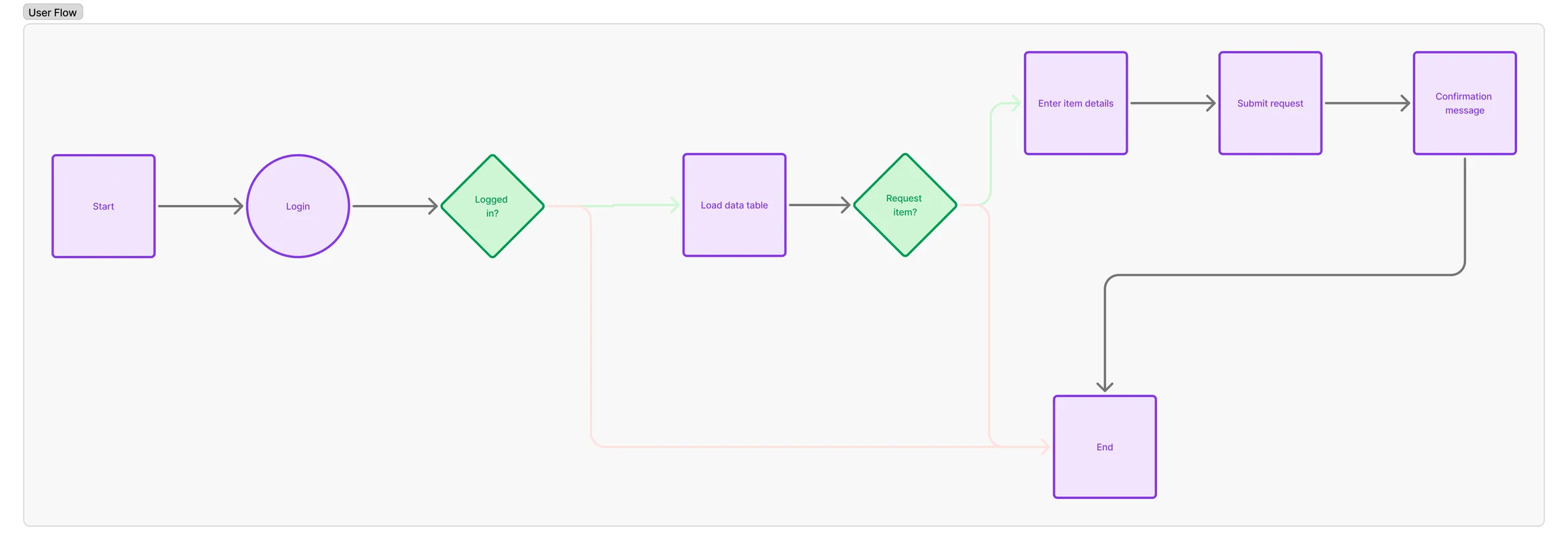
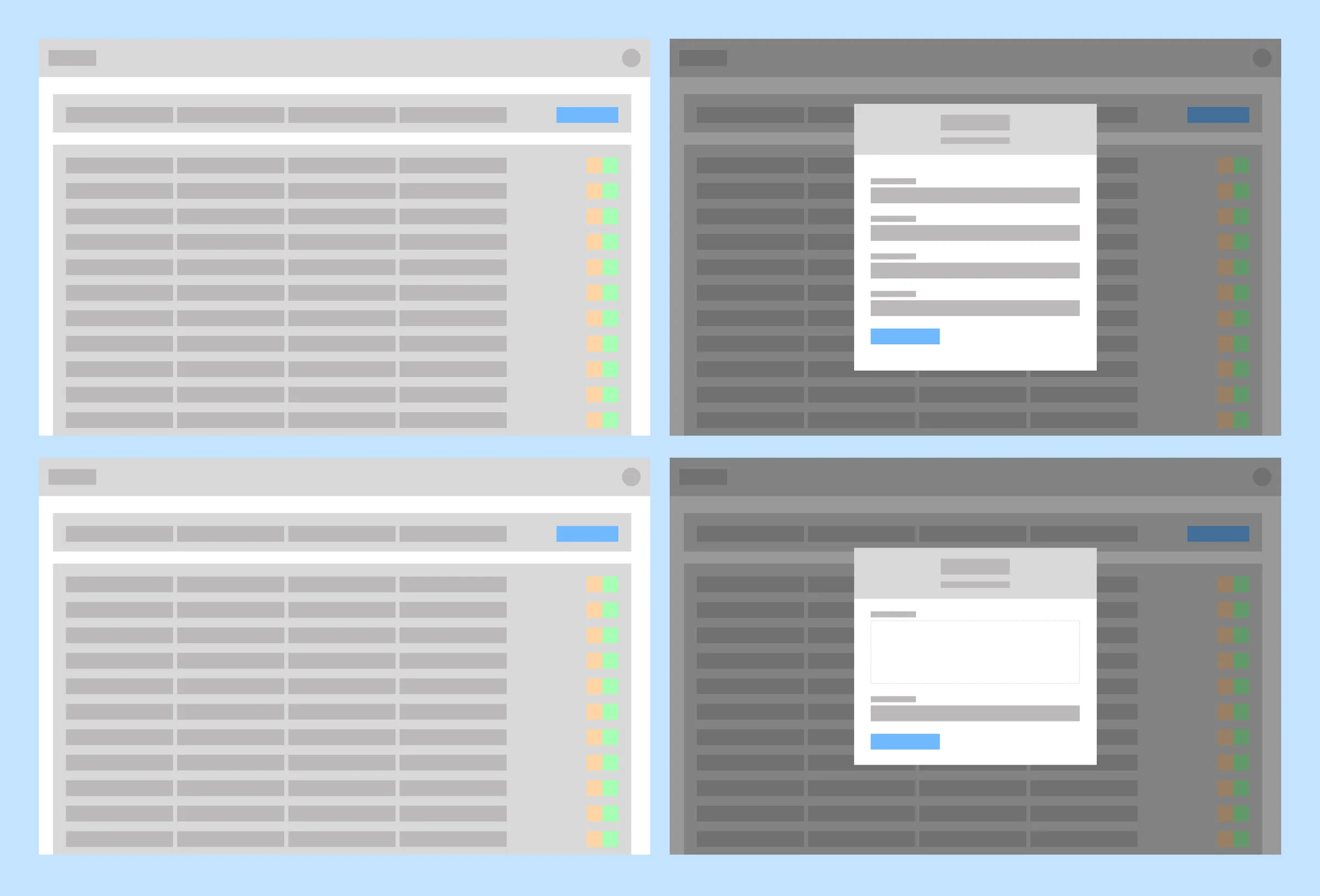
Testing
Ten minutes, because a request takes one
Submitting a request was meant to take under a minute, so the test sessions were ten. That fit inside a sales rep’s day without scheduling, and short sessions turned out to be enough to find what was wrong. We piloted with a group from sales, fixed what they found, then opened it to the rest of the team.
Two things came out of alpha that were not in the original scope: bulk uploads, and real-time notifications. Both went in. The rest of the changes were smaller, simplifying form fields and sharpening the status indicators until a submission held to its minute.

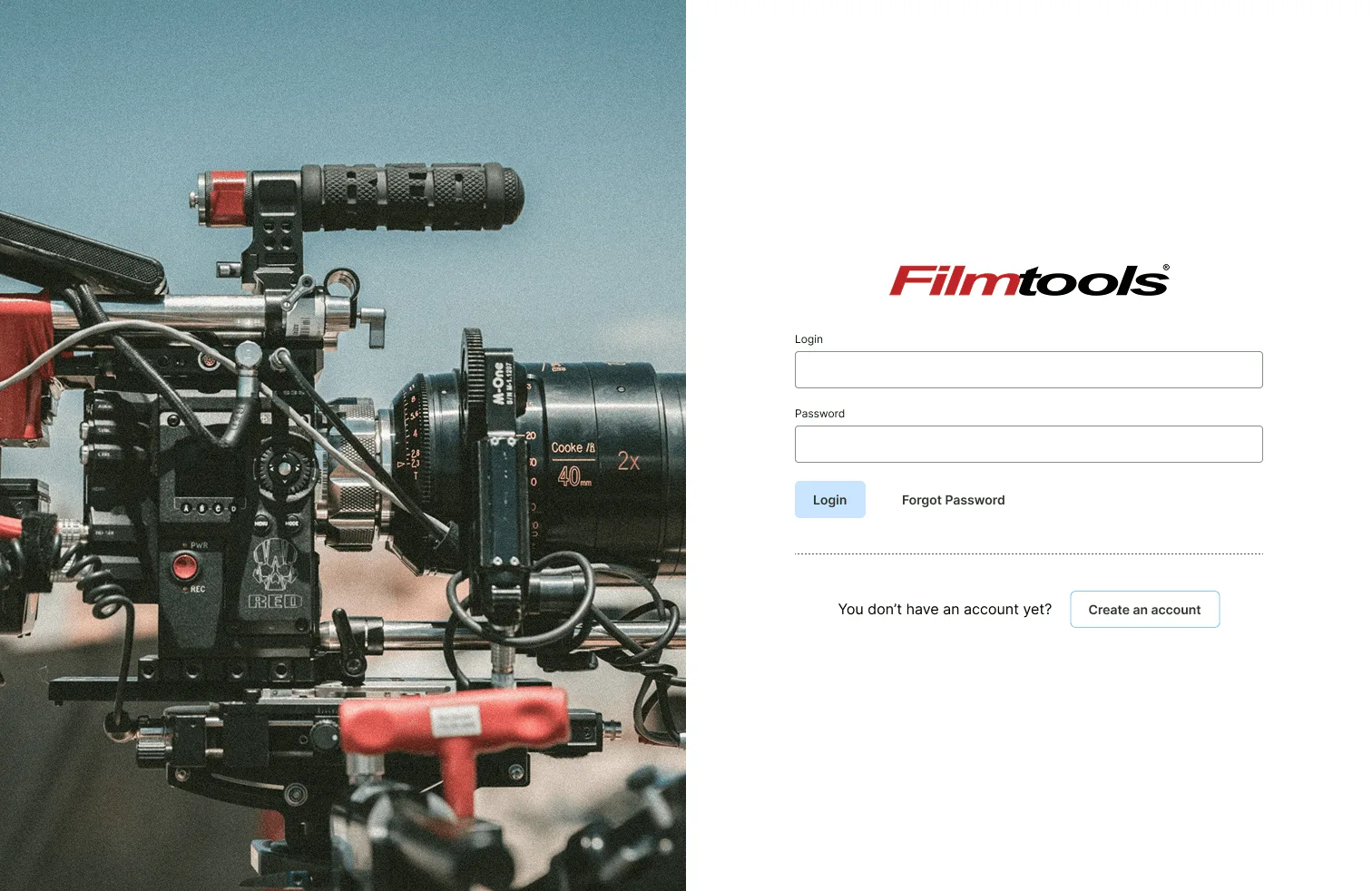
Drag to compare the login before and after.
Research, and what it changedhow I gathered it, and the three findings that moved the design
Method
- Casual in-person conversations with sales and web team members, to hear the complaints in their own words before proposing anything
- Daily observation from inside the web team, watching how requests arrived and where they stalled
What it found
- Chasing updates by email and phone was the part people resented, more than the submitting itself
- Status visibility outranked every advanced feature anyone suggested
- Ticketing tools like Jira and Zendesk are structured but built for support, not for product requests
Design decisions and iterationswireframes, two rounds of stakeholder feedback, and the scope that grew
I wireframed against the expected flows and checked feasibility with the developer as I went, which kept the mockups inside what could be built. Two rounds of stakeholder feedback surfaced the bulk upload and notification requirements, and we settled those in short sessions rather than another review cycle.

Evolve
Four departments, one at a time
The Second Ask
Purchasing had a worse version of the same problem
The portal went out and then sat in testing for two or three weeks while we kept watching people use it. That is the part of the timeline that mattered, because other departments could see it working, and purchasing came over with a problem of their own.
They were maintaining vendor inventory in NetSuite by uploading spreadsheets, hundreds of SKUs at a time, and the counts refreshed once a day in the morning. Everything after that was a guess. The staff cross-checked the ERP against the website by hand, kept correcting the same discrepancies, and phoned vendors to ask what was true.
A stale count is not an internal inconvenience. It reaches a customer as an item that was in stock at checkout and is not in stock afterwards.
Extending It
The same table, pointed at a vendor API
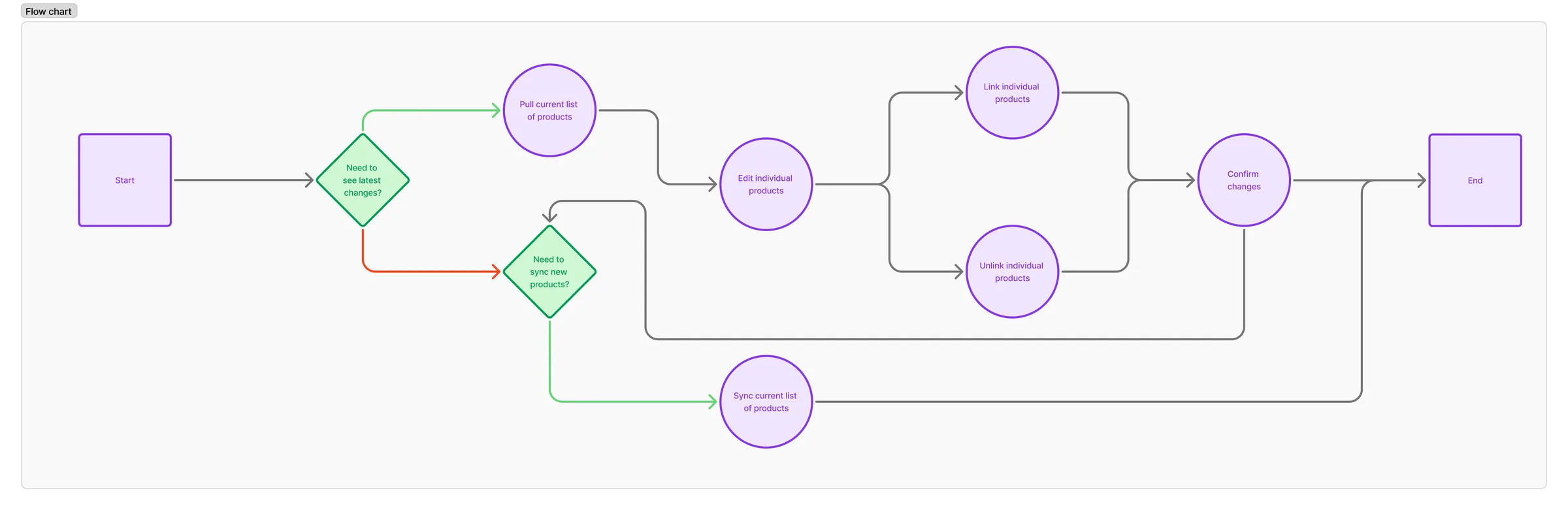
I started from the request table the portal already had rather than designing a second thing. Purchasing had watched sales learn the interface, so reusing it meant the training cost was close to zero and the argument for adoption was already made.
The adjustments were about control. Accurate list counts and the pull and sync actions moved into the open instead of sitting behind a menu, and testing added per-item syncing so staff could correct one SKU without triggering a run across the whole catalogue.
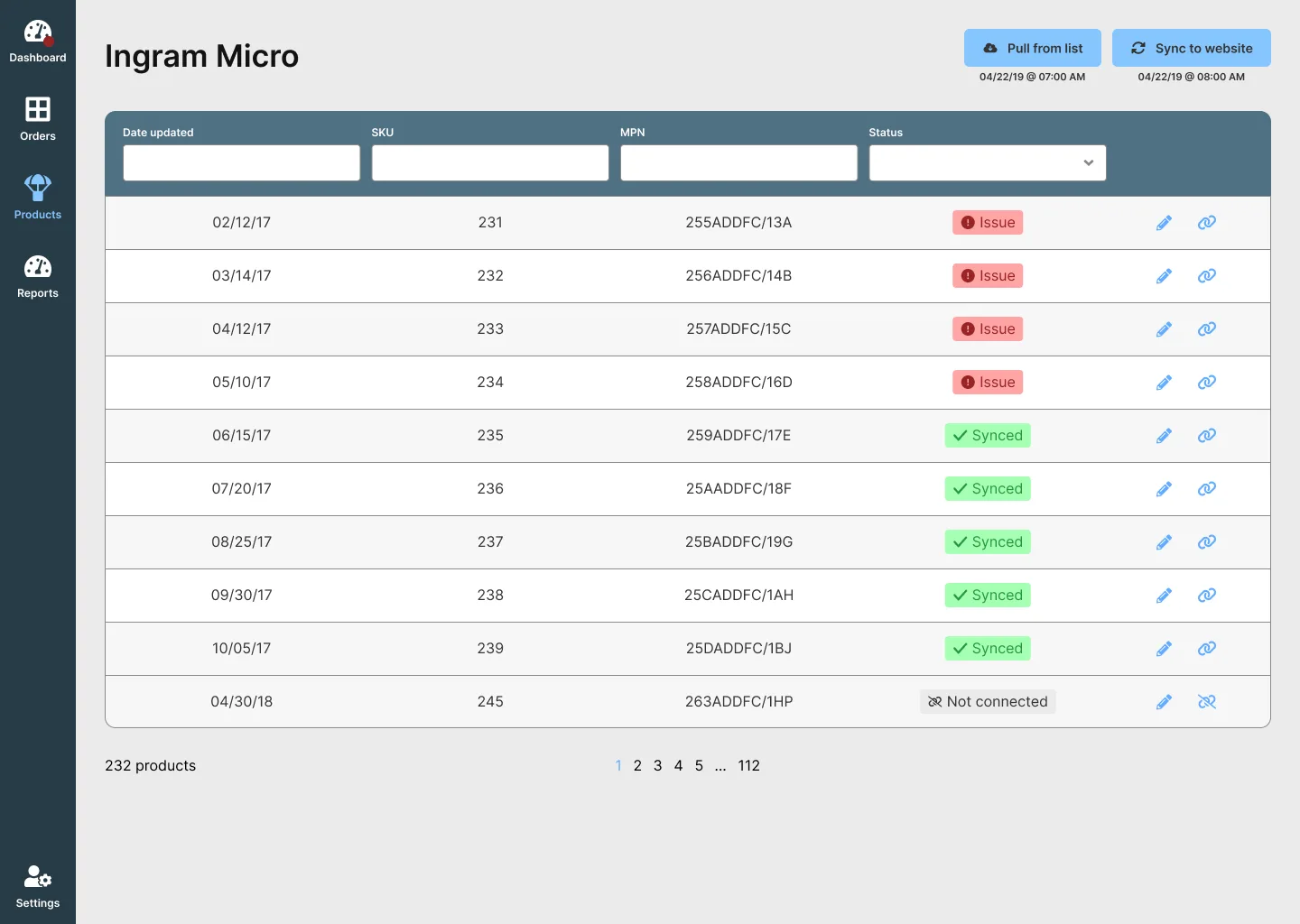
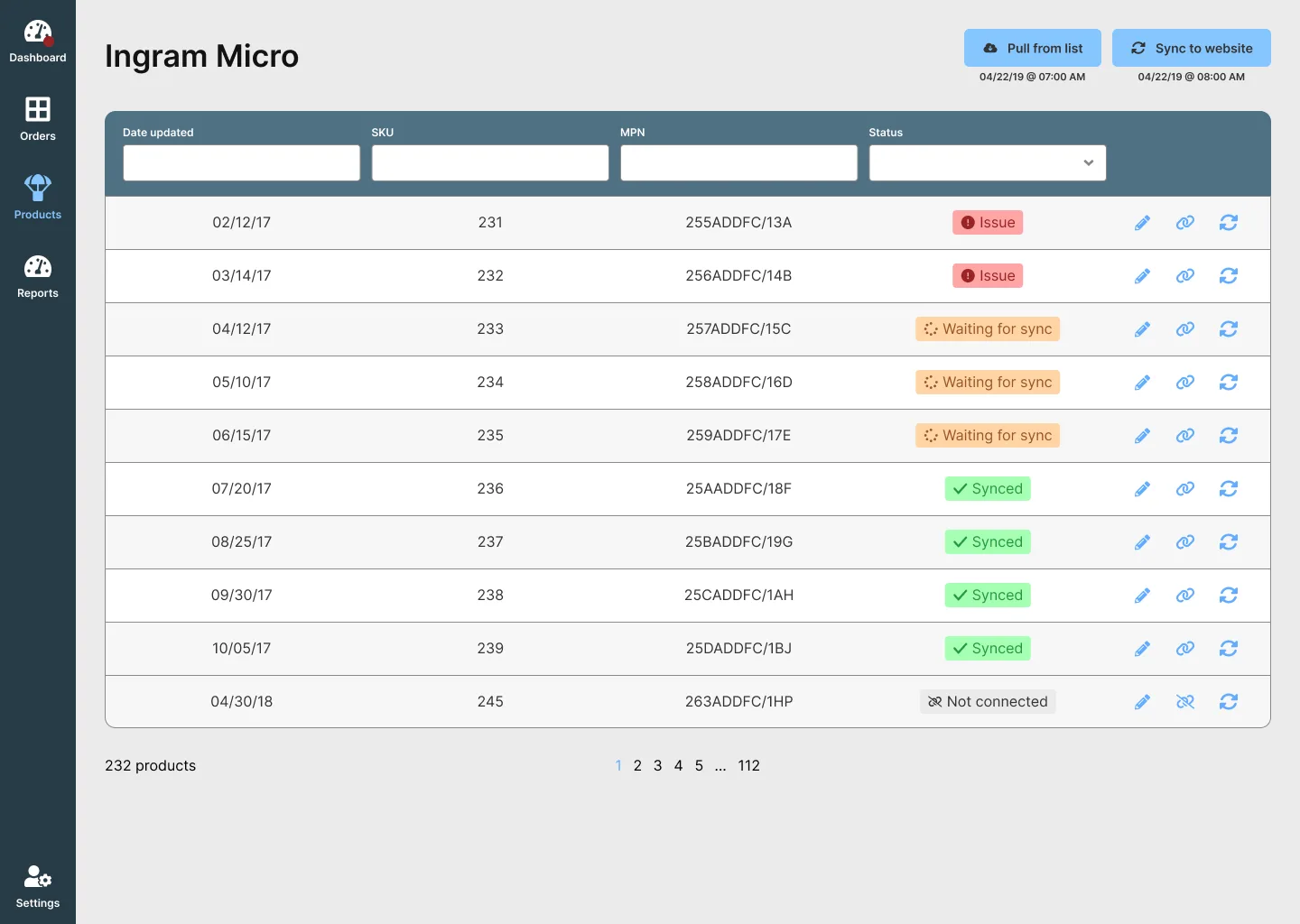
The list before and after the sync controls came forward.
What purchasing was working aroundthe three options on the table, and why none of them held
- Excel spreadsheets
- The status quo. Workable by hand, and every pass was a chance to mistype a number.
- NetSuite's native module
- Reliable for inventory in general, with no connector for the vendor that mattered most.
- DCKAP EDI Connector
- A third-party product that would have done it, priced far past what this one integration was worth.
How I researched the second phaseinterviews, observation, and the finding that set the direction
Method
- In-person interviews with the purchasing team to map the workflow end to end
- Observation of typical sessions, which is where the manual workarounds showed up
- Ten to fifteen minute phone interviews with two purchasing staff, then longer in-person sessions
What it found
Real-time syncing was the requirement underneath the complaints, and the team wanted accurate list counts plus direct access to the sync controls. Testing confirmed both, which is what moved them out of a menu and onto the surface.
And Then It Kept Going
ShipStation, QuickBooks, Signifyd, B2B sales
Purchasing was the second department, not the last. The portal went on to absorb shipping through ShipStation, accounting through QuickBooks, order fraud prevention through Signifyd, and the direct B2B sales flow. By the time I left Filmtools it was the tool those teams ran the day on, which is a long way from a form for getting a product onto a website.
I designed all of them. The first two are the ones written up here because they are the ones I kept the artifacts for, and the pattern behind the rest is the one visible in the second: a team watches another team’s problem get solved in a tool they can see, and comes back with their own.
Results
90%
fewer emails and calls
Product requests that used to arrive by inbox and phone queue, now submitted through the portal.
2-3 hrs
returned to purchasing weekly
Time that had been going into spreadsheet uploads and correcting inventory by hand.
+12%
checkout rate
Alongside an 8% drop in cancellations, once stock counts stopped going stale between morning uploads.
Outcome
Both teams, and then the customer
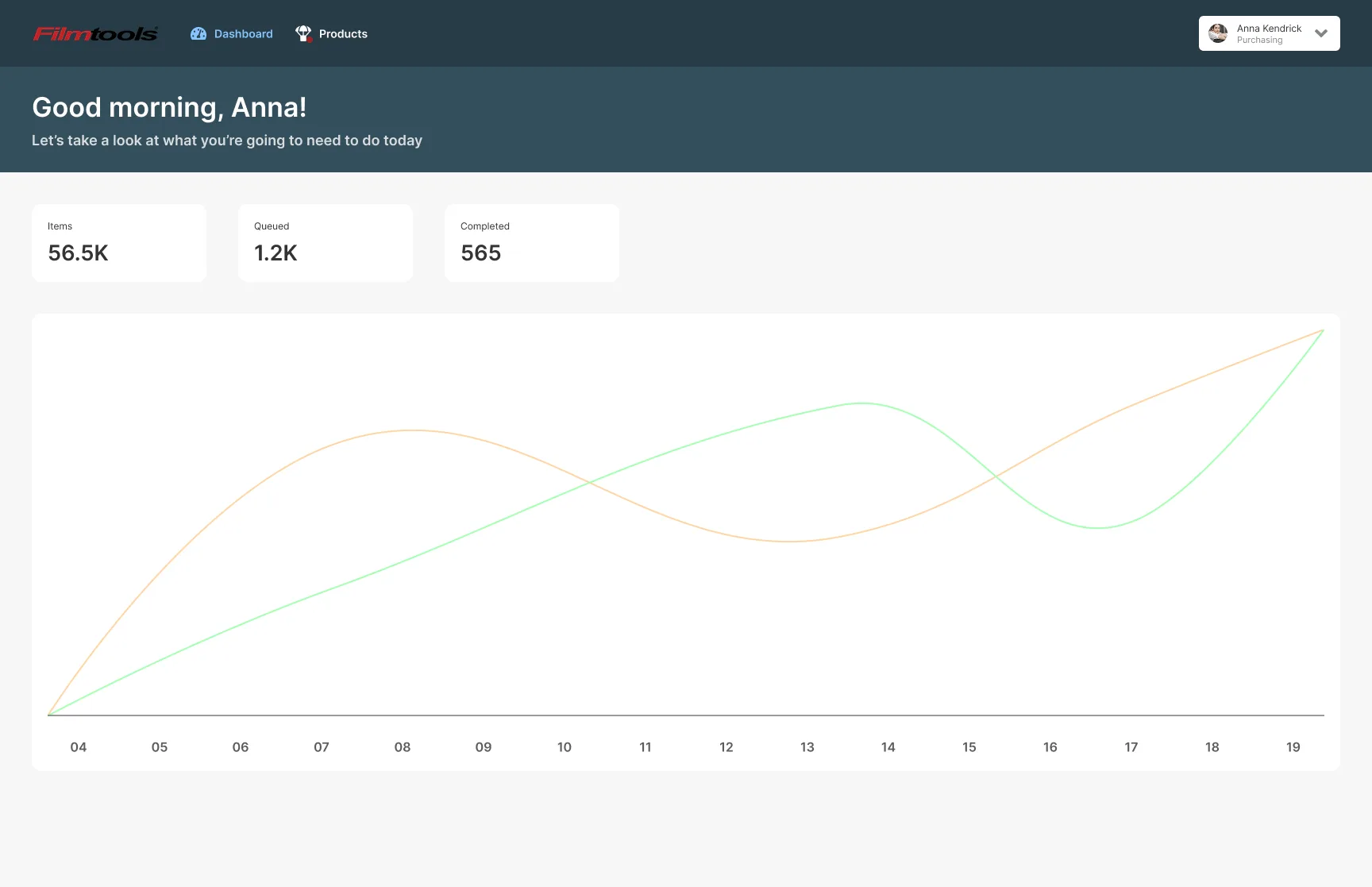
The portal moved request traffic off email and phone, and gave both teams a status they could check themselves. Onboarding a new sales rep got faster too, which is the dividend of having built the thing out of interfaces they already knew. The landing dashboard we had listed as a future step shipped, so requests got an at-a-glance view as well as a searchable one.
The vendor integration ended manual uploads for that vendor and put its inventory on an hourly sync. Purchasing got two to three hours a week back, and the customer-facing result is the one I would lead with: items that had been sitting as out of stock became buyable again, checkout went up 12%, and cancellations fell 8%.
Lesson Learned
Shipping something small is how you find the bigger problem
I would not have found the inventory problem by interviewing my way to it. Purchasing brought it to me because they had watched a tool work for somebody else, and so did the three departments after them. Shipping the small version and leaving it where people can see it did more discovery than any research plan I could have written.
Two things I would change. We ran the first phase on a color-coded Google Doc with no project manager and no tracking tool, which held together and cost me time I could have spent on the design. And I found out too late that the vendor’s API needed access I did not have, which stalled testing on the second phase for days that were already scarce in a two-week window.
Ready to go back to the main page?
Go back